How to Use the APF-D Processor: Rewind, Slow Down, and Decipher Responses
The hardest part of a spirit box session is not capturing a response. It is catching it in the moment and being able to go back and study it. Responses come fast, they overlap with sweep noise, and once the sweep has moved on, the moment is gone. I built the APF-D Processor, the Audio Playback Filter, to solve exactly that problem.
What the APF-D does
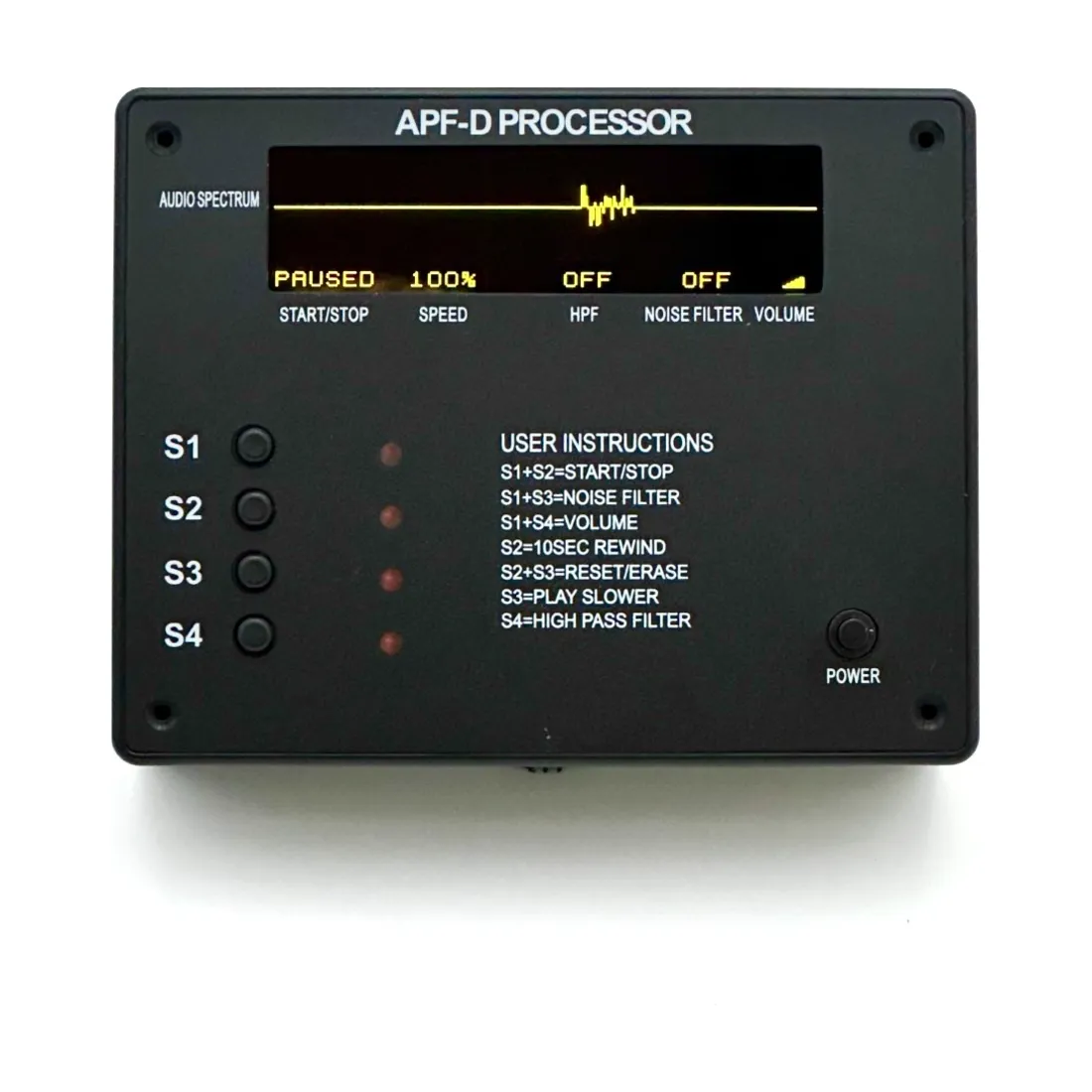
The APF-D sits between your spirit box and your speaker and gives you real control over the audio. It shows a real-time audio spectrum display so you can see the response, not just hear it. From there you can:
- Amplify the audio so a quiet response becomes clear.
- Pause and resume without losing response data, so nothing is dropped while you stop to listen.
- Rewind responses in 10-second intervals to hear a moment again and again.
- Adjust playback speed in 5 percent decrements to slow a fast response down until the words are clear.
- Apply adjustable noise reduction and a high-pass filter to pull a voice out from under the sweep noise.
Watch the overview
A simple review workflow
Here is how I use it. I run a normal session with a P-SB7 or PSB7-PRO into the APF-D. When I hear something that stands out, I pause. Because pause does not drop data, the response is still there when I resume. I rewind in 10-second steps to the start of the moment, then slow the playback down 5 percent at a time. A word that sounded like noise at full speed often resolves clearly at a slower rate. If sweep noise is still in the way, I bring in the noise reduction and high-pass filter until the voice sits on top. Only then do I decide whether it is a genuine response worth keeping.
Why the slow-down matters
Spirit responses often come through faster than natural speech. Slowing the audio without changing what was captured lets you hear the actual sounds instead of guessing. I keep everything in its original, natural form, no reverb or delay, because I want the response to speak for itself. The APF-D is there to reveal what is already on the recording, not to invent anything.
A word on the spectrum display
The real-time audio spectrum display is more useful than people expect. When you can see the shape of the audio, you stop relying on your ears alone, which is exactly where wishful hearing creeps in. A genuine voiced response shows structure on the display, and a burst of flat noise looks like flat noise. Watching and listening together keeps you more honest than either one on its own. Over time you start to recognize the visual signature of a real response, and that speeds up your review.
Who the APF-D is for
If you are brand new, you do not need this on day one. Run a few sessions with a spirit box and a speaker first, get comfortable, and learn what a normal session sounds like. The APF-D is the tool you reach for when you start capturing responses you want to study seriously, share with others, or hold to a higher standard of proof. It is a research instrument, and it rewards patient review. The people who get the most out of it are the ones who treat every session as data to be examined, not a highlight reel.
The APF-D pairs with any P-SB7 or PSB7-PRO and the X1-ANC speaker. See the APF-D Processor.


